


DingTalk Meetings
AI Unlocks a Brand-new Meeting Experience

Real-time subtitles
It provides real – time voice – to – subtitle and translation, useful in noise or on trips.

Meeting Minutes in Real Time Helping you Listen to the Meeting as it Happens
No need for a note – taker. Real – time meeting minutes let you listen and transcribe concurrently, and generate summaries anytime.

Post-meeting Flash Notes Automatically Generating Summaries
Intelligently transcribes, records, and extracts meeting summaries. Enables search and playback for easy post – meeting review.

Wonderful Interactions Make Communication More Vivid
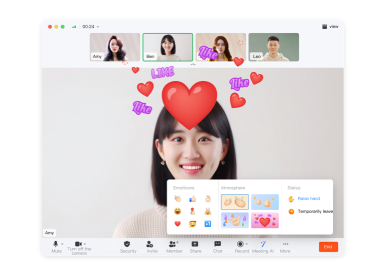
Chatting and Emoticon Interactions
Video conferences offer chat, full – screen emoticons, statuses and atmospheres. They liven up meetings for better communication.
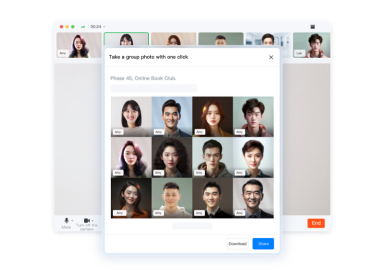
Take a Group Hhoto with one Click
One click starts a countdown for all meeting attendees to take an online commemorative group photo.
Virtual Backgrounds and Beauty Filters
Customize meeting backgrounds to look presentable. Use beauty & filter options for a personalized look.

DingTalk Meeting Room Solutions
DingTalk Meetings Rooms
It deploys on various hardware, offering a full solution for meeting – room wireless projection, whiteboard work, and video calls.

Intelligent Meeting Room Management System
A meeting room solution covering multi – level management, reservation, equipment O&M, and corporate culture promotion.

Meeting Room Connector
It’s widely compatible with Polycom, Cisco, Huawei, Yealink, etc., enabling seamless SIP device – DingTalk Meetings connection.

It’s Simple and Convenient, Allowing you to Organize Meetings with Ease
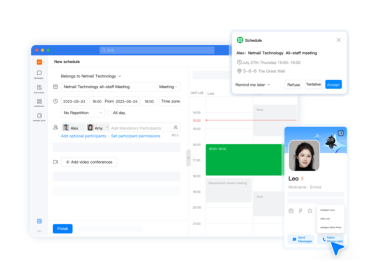
Calendar Reservation
Reserve meetings via schedule. Pre – book staff & rooms, avoid conflicts. System auto – reminds, no meeting misses.
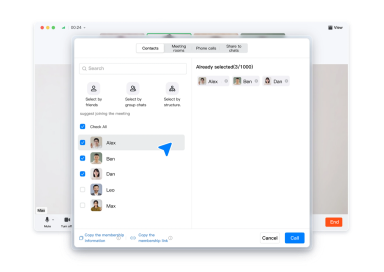
One-click Calling
Integrate with DingTalk address book for quick calls. Supports inviting others to meetings via DingTalk, phone, or meeting numbers.
Seamless Integration with DingTalk chat
Whether it’s a one-on-one chat or a group chat, you can quickly start a video conference through the meeting button on the toolbar.

Efficient Collaboration Liberating Productivity
Share Screens and Documents.
One-click screen share for real-time viewing, doc share for multi-person edits, and whiteboard share for ideas.

Sharing Supports Multiple People’s Annotations
When screen – sharing, use brush and graphic tools to annotate on – screen content. Draw freely as you speak for more thorough and accurate expression.

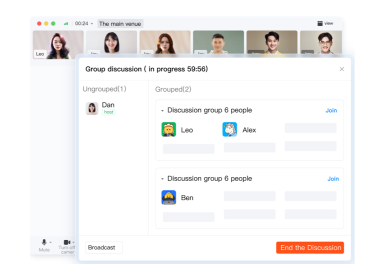
Group Discussion
One-click grouping and closed group discussions. Internal discussions are independent, clear and more focused, avoiding mutual interference.
It’s Safe and Worry-free Ensuring the Order of the Meeting
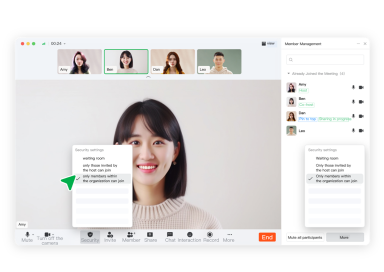
Waiting Room
A pre – meeting waiting room is provided. All participants need approval to enter, protecting private and sensitive info.
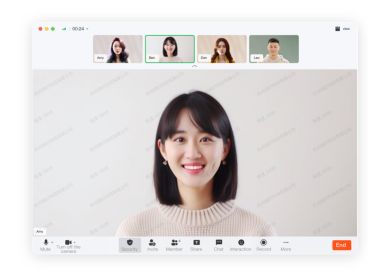
Screen Watermark
Screen sharing supports security watermarks, preventing screenshots and content spreading, with traces left in case of leaks.
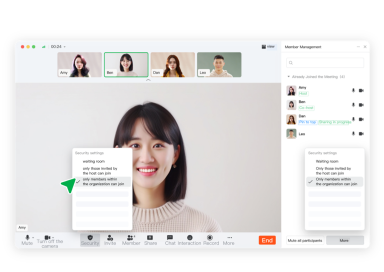
Internal Meeting
The host can set the meeting to allow only members of the designated organization, barring unassociated people from joining.
 Contact Us